 Agencies and studios
 Photographers
 Podcasters
 Video and social creators
 Marketers and content teams
Download free
macOS and Windows. Your files stay on your computer.
macOS and Windows. Your files stay on your computer.
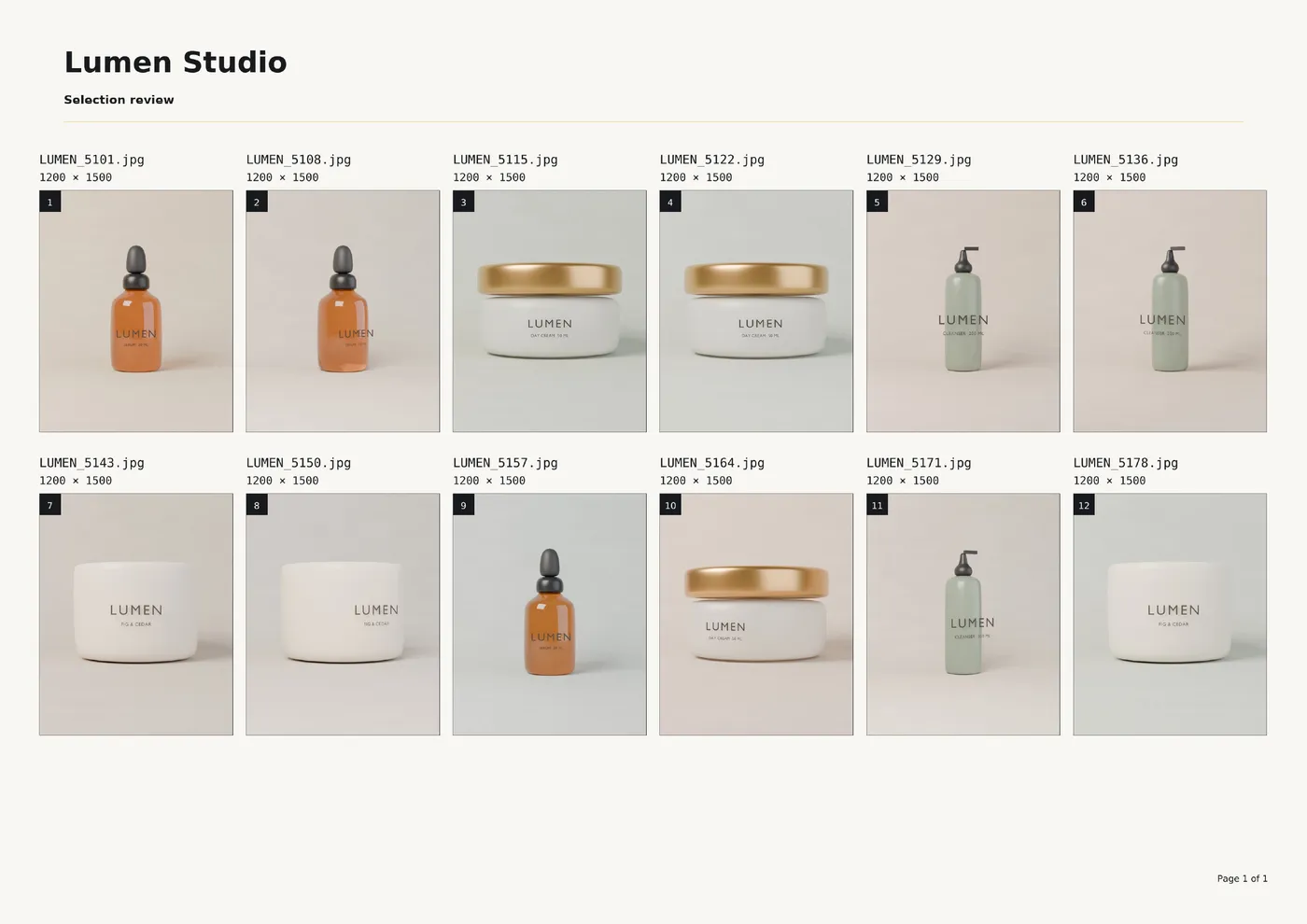
Lay a shoot out as one clean, captioned sheet for picking selects, sending a proof or building a mood board. Start from a ready layout, add your header and watermark, and export a multi-page PDF or a single image. Camera and location data never reach the sheet.
Intel Mac or need help installing? All downloads
Hangar runs on Mac and Windows. Open this page there to download.
The file from the run in the recording
How it works
1 Start from
At least two images. RAW, HEIC, SVG and common formats all work. Drag the strip to set the reading order.
2 Set it
Pick Review, Client report, Proof or Mood board, then adjust the grid, captions, header and watermark.
3 Export
A PDF that adds pages as the batch grows, or one PNG or JPEG board. Save your design as a preset for next time.
New to Hangar? How to run a tool, step by step
Choose a starting point
Each starting point sets the format, grid, captions and header for a kind of job. Change anything after, and save your own as a preset. Proof, a dense 6-column PDF for checking a whole shoot, is the fourth.
A 4-column PDF with file names, pixel sizes and numbered tiles.
Best for choosing selects.
Numbered captions on a label bar, with a header for client details.
Best for sending a shoot to a client.
A PNG of square, cropped tiles on a dark page, no captions.
Best for brand, interior and styling projects.
Every setting, explained in the Contact sheet guide Starting point · Format · PDF page · Image size · Grid
Who uses it
Send a numbered proof of a shoot, straight from the RAW files, with your logo in the header.
Hangar for photographersTurn a folder of campaign images into one captioned PDF for a client review.
Hangar for agencies and studiosLay out material and room references as one board to drop into a presentation.
One app, one payment
The same app converts, compresses, resizes and cleans up photos, and does the same kind of work for PDFs, video and audio. One payment covers every tool.
A typical routine
Lay out a shoot as a proof PDF in the Contact sheet studio. Then shrink it for email and add a password before it goes to the client.
The alternative
Lightroom Classic can print contact sheets, and it lets you rate and edit photos in the same place. It also means a subscription and importing everything into a catalog first.
Lightroom Classic is sold by subscription on adobe.com.
Every tool is free for 3 days, with no account and no card. After that, Hangar is a one-time payment from $45, with updates for the version you buy. There is no subscription.
No. Each page is saved as a single picture, so captions and header text cannot be selected or searched.
Drag the thumbnails in the strip at the bottom, or sort them A to Z by name. The strip order is the reading order on the sheet.
At least two. The order in the queue becomes the reading order on the sheet, so arrange the images before you export.
A PDF adds pages as the batch grows and can carry a header and page numbers. PNG and JPEG put every image on one board, so a very large batch is better as a PDF.
No. The sheet contains only freshly rendered pixels, so camera and location metadata from the source images is not copied.
Yes. Save the current design as a named preset and apply it to any later batch. A preset keeps the design, not the images or their individual captions and focal points.
No. Your files are processed on your computer and never sent anywhere. Hangar sends anonymous usage counts to improve the app, never file names or contents, and you can turn that off in Settings.
Yes. A license works on any mix of Mac and Windows computers. Solo covers 1 computer, Crew 3 and Fleet 10.
Then pay once, from $45, for every tool and the updates for your version. No subscription. 30-day refund.See plans
Intel Mac or need help installing? All downloads
Hangar runs on Mac and Windows. Open this page there to download.