 Agencies and studios
 Photographers
 Podcasters
 Video and social creators
 Marketers and content teams
There are two usual reasons. Either the PDF is a scan, so the “text” is really a picture of text, or the file is locked with a setting that blocks copying. A scan needs OCR (text recognition) to turn the picture back into text. A locked file needs its copy restriction removed.
A quick test tells you which one you have.
Which problem do you have?
Open the PDF and try two things:
- Click and drag across a line of text. If nothing highlights, or the whole page highlights like an image, the PDF is a scan.
- If the text does highlight, try to copy it. If Copy is greyed out, or nothing pastes, the file is restricted.
Searching works too: press Cmd+F (Ctrl+F on Windows) and look for a word you can see on the page. No results on a scan; results but no copying on a restricted file.
Fix 1: the PDF is a scan, so run OCR
A scanner or a phone camera saves each page as an image. The page looks like text to you, but to the computer it’s pixels. OCR (optical character recognition) reads those pixels and adds an invisible layer of real text over the page. The page looks exactly the same, but now you can select, copy and search it.
We tested this on a one-page contract saved as an image-only PDF, the way a scanner would save it. Before OCR, there was no text in it at all. After Hangar’s OCR PDF, every one of its 201 words came back, names, sort code and account number included. The only slip was a stray symbol where the signature line was.
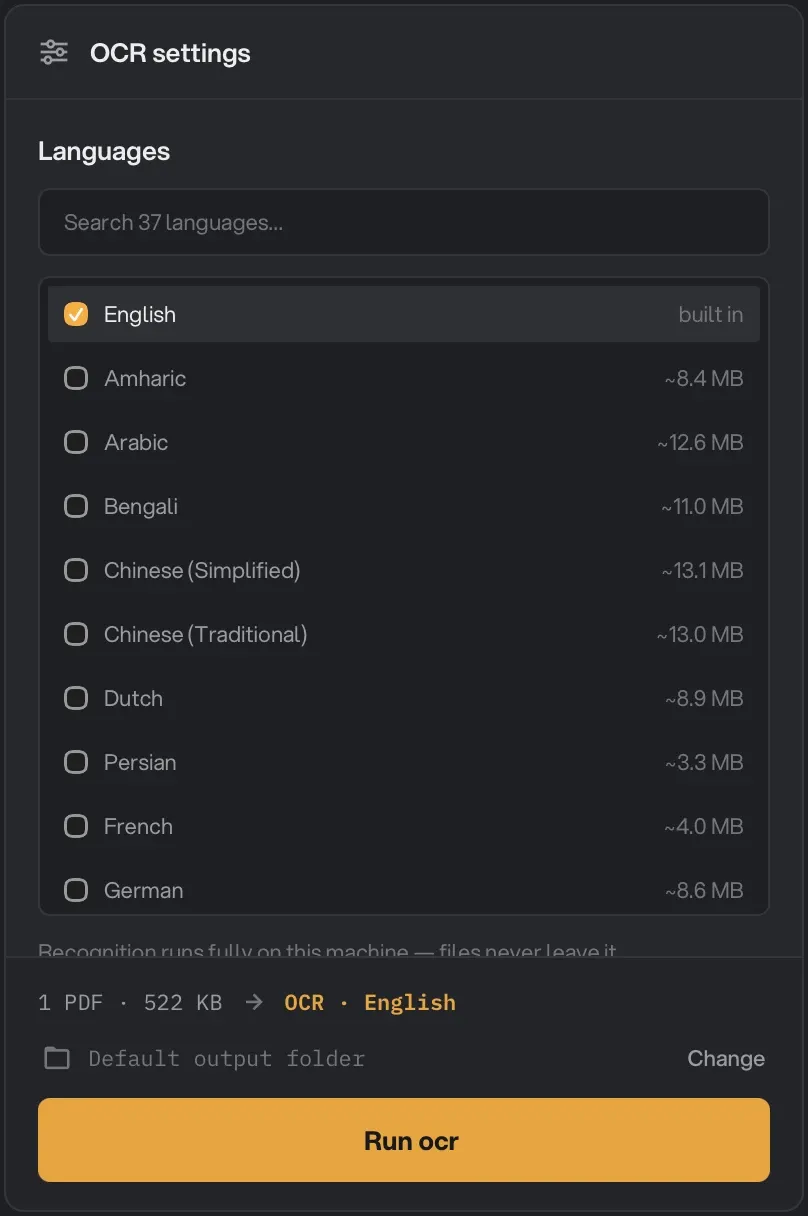
In Hangar:
- Open OCR PDF and add your scan.
- Under Languages, tick the language on the page. English is built in; the others download once, the first time you use them.
- Click Run ocr. Hangar saves a new copy with “-ocr” added to the name and leaves your scan as it was.
- Open the new copy and copy away.
The OCR PDF guide covers the other settings, like re-reading pages that already have text.
Here’s the top of our contract after OCR, next to the text we copied out of it:
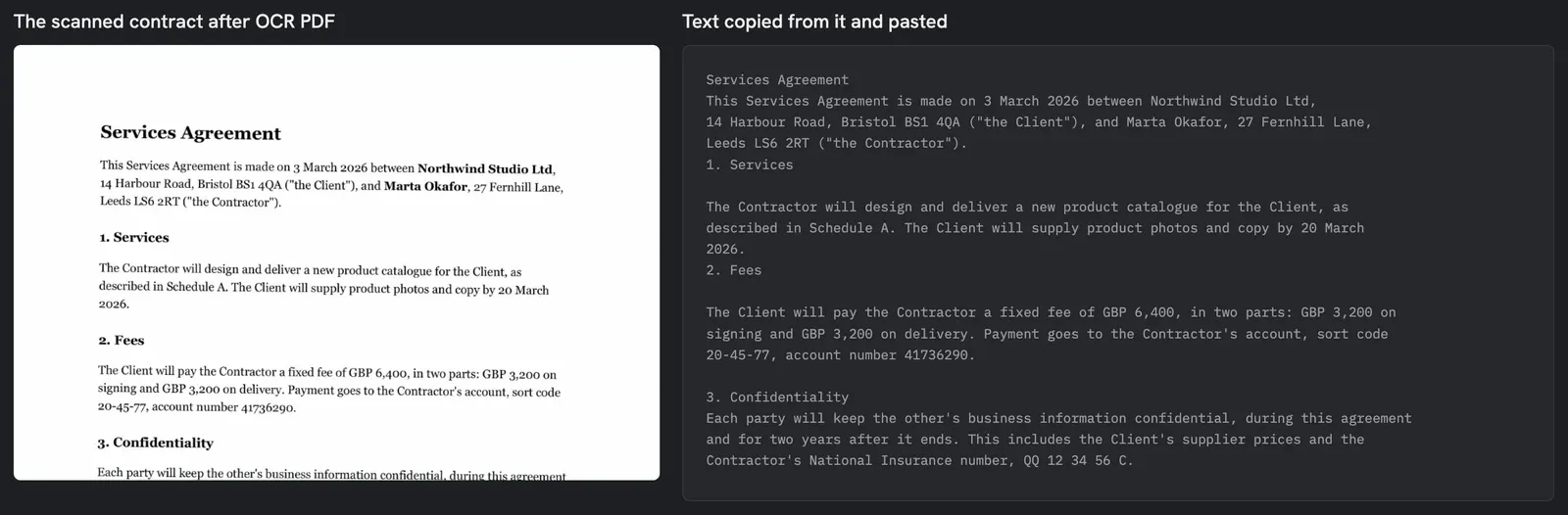
Check names and numbers after OCR. It’s very good on clean printed text, and less sure on handwriting, stamps, low-contrast photocopies and unusual fonts. Other options: Adobe Acrobat Pro has OCR built in (Scan & OCR), on a paid plan. On a Mac, Live Text lets you copy text out of a photo or screenshot, one bit at a time, but it doesn’t make the PDF itself searchable.
Fix 2: the PDF blocks copying, so unlock it
A PDF can carry an “owner password” that sets what readers may do: print, copy, edit. You can open the file normally, but copying is switched off. Our test contract was set to block copying and printing.
If the file is yours, or you have the right to use its text, Hangar’s Unlock PDF removes those restrictions. In the app the tool is called Unlock:
- Open Unlock and add the file.
- Leave Password blank. The field says so itself: it’s only needed for files that ask for a password to open.
- Click Run unlock. Hangar saves a new copy with “-unlocked” added to the name.
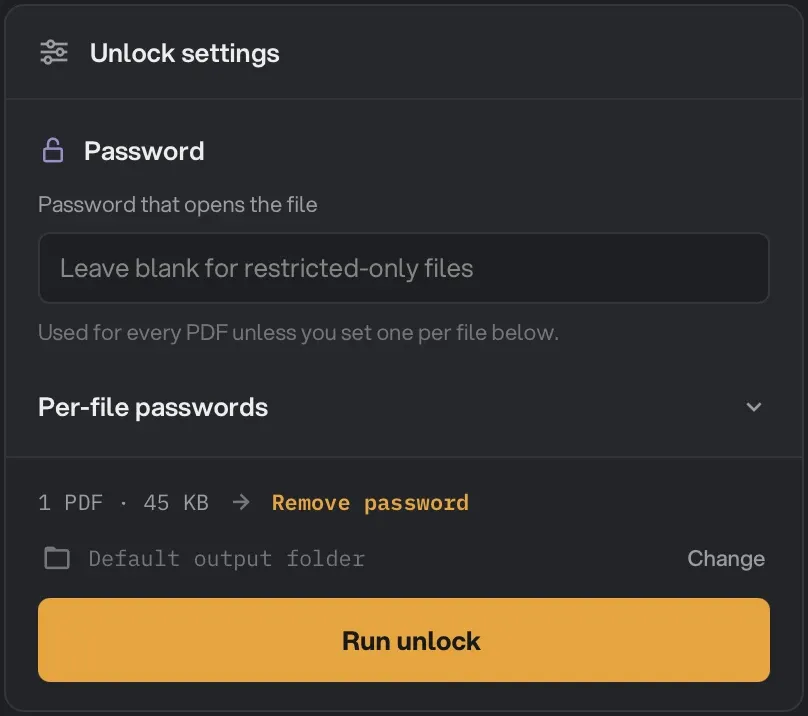
In our test, the unlocked copy had no encryption left, and copying and printing were both allowed again.
A word on permission: copy restrictions are usually there for a reason. Removing them is fine on your own documents or ones you’re allowed to reuse. It doesn’t change who owns the content.
If the file asks for a password to open, you need that password. Type it in the Password field and Unlock saves a copy that opens without it. The Unlock PDF guide lists which files it can and can’t open.
Questions people ask
Why can I select the text but not copy it?
The PDF has a copy restriction. Many viewers respect it and grey out Copy. Removing the restriction with Unlock PDF, on a file you’re allowed to use, makes copying work again.
Does OCR change how my PDF looks?
No. OCR PDF adds an invisible text layer and leaves the page images as they were. The file gets a little bigger, because the text layer is new data.
Can I copy text from a scanned PDF without software?
Partly. On a Mac, Live Text can pick up text from photos and screenshots, and on Windows 11 the Snipping Tool’s Text actions can copy text from a screenshot. They’re fine for a line or two. For a whole document you want to search later, run OCR once.
The hidden text layer that makes copying work is also why a black box drawn over a name doesn’t hide it. Our guide to redacting a PDF properly shows what happens.