 Agencies and studios
 Photographers
 Podcasters
 Video and social creators
 Marketers and content teams
Search the email from your purchase
Your key arrived in the email you received when you bought Hangar. Search your inbox, and your spam folder, for HNGR: every key looks like HNGR-XXXX-XXXX-XXXX.
Not there? Use one of the two routes below. Both ask you to confirm the purchase email with a six-digit code, so only you can see the key.
Reveal it in Settings
On any computer where Hangar is activated, press ⌘, (Ctrl+, on Windows), choose License and confirm your purchase email; opening your license shows each screen.
The key is masked. Click Reveal to show it and the copy button to copy it, or Email my key to send it to your purchase email.
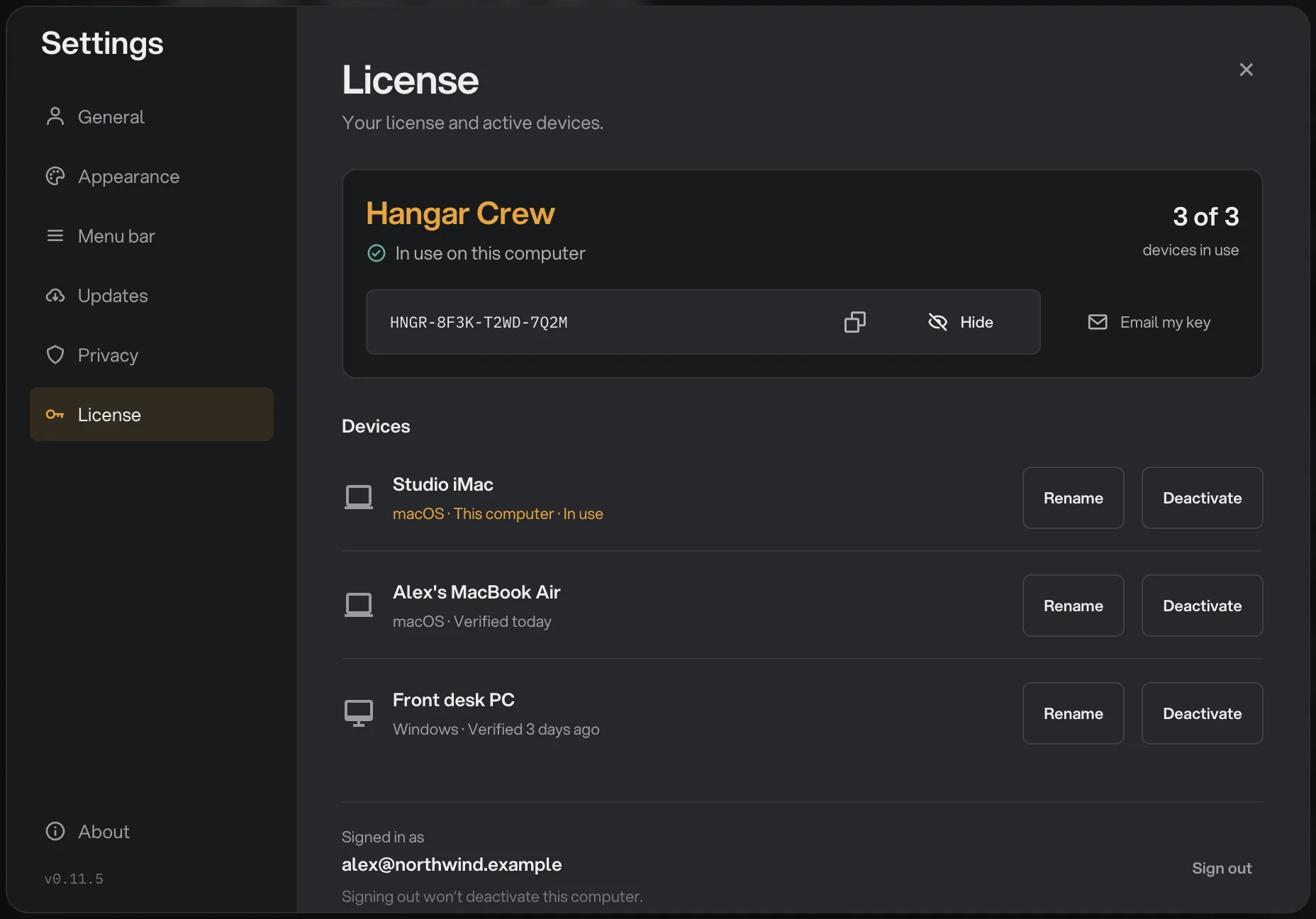
- Your full key
- Copy key
- Email my key
Find it on hangar.tools
No Hangar at hand? Go to your licenses on hangar.tools in any browser. Enter your purchase email under License email, click Send code, then type the code and click Verify.
Your plan and computers appear. Click Reveal key to show the key, or Email my key to have it sent again.
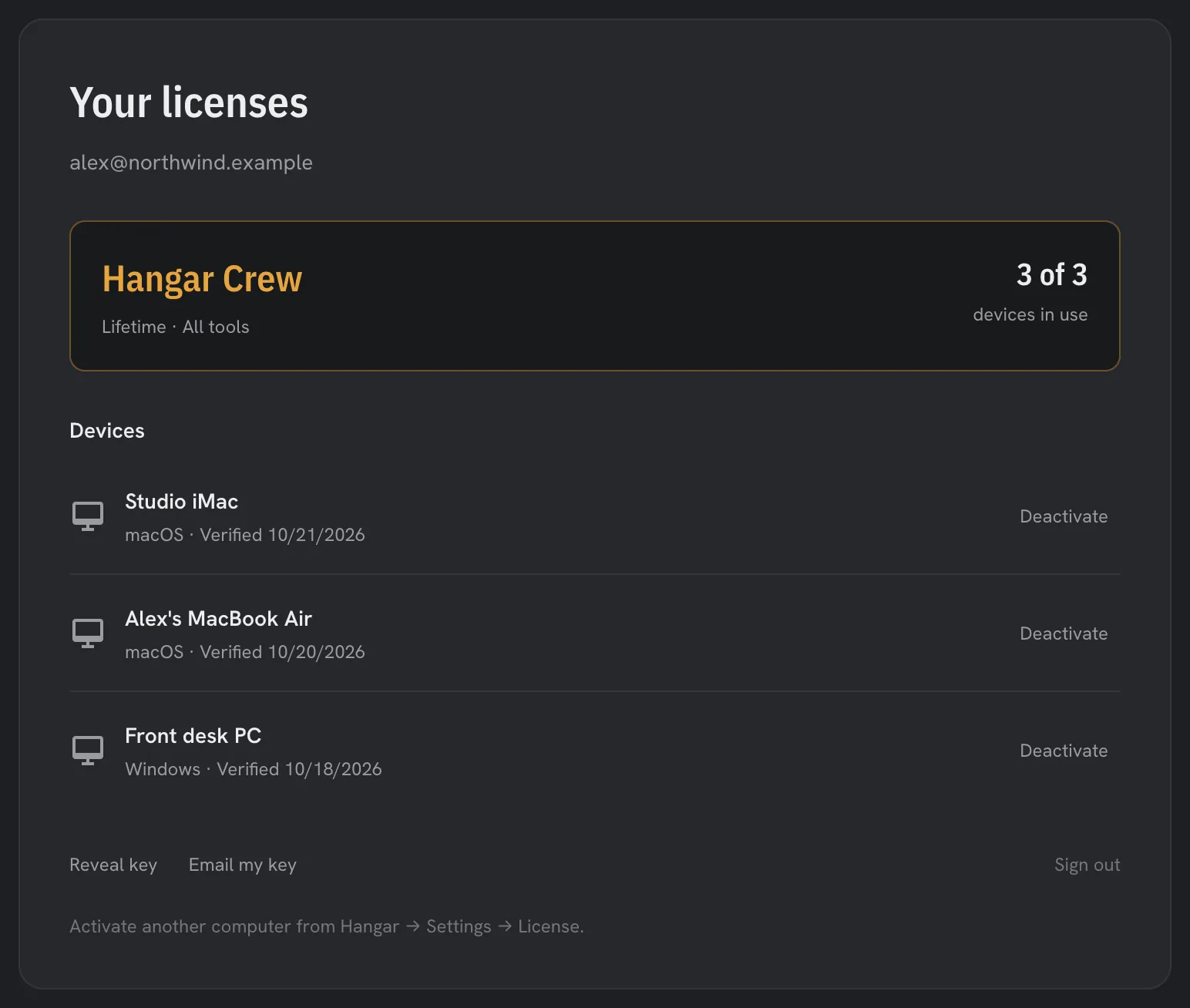
- Reveal key
With the key in hand, activate your license on the new computer, or move Hangar to a new computer if every seat is taken.
Still stuck?
If the purchase email address no longer exists, or the code never arrives after a look in spam, write to support. Include your name and the approximate date of the purchase so the order can be found.
Common questions
Can I buy Hangar again to get a new key?
There is no need. Hangar is a one-time purchase and one key covers your whole plan, so the steps on this page always get the same key back.
Does showing or emailing my key deactivate anything?
No. Revealing or emailing the key only shows it to you. Your computers stay activated, and nothing changes until you deactivate one.
Can I use a different email address to find my key?
No. The code is only sent to the address used at checkout, which keeps the key private. If that address no longer works, write to support.
Still stuck?
One person reads every message, usually with a reply within a day.