Clean up podcasts, interviews and talking-head videos: take out room noise, hum and echo, even out the voices and set the right loudness. Listen to the difference before you enhance a whole batch. Your recordings stay on your computer.
Intel Mac or need help installing? All downloads
Hangar runs on Mac and Windows. Open this page there to download.
How it works
MP3, WAV, M4A, FLAC and other audio, or MP4, MOV and other video. One file or a whole season.
Play any part of the file before you run. Press E to switch between Enhanced and Original at the same loudness, and change a setting if you need to.
Each file is saved with -enhanced added to its name. A video keeps its picture untouched and gets the cleaned sound.
New to Hangar? How to run a tool, step by step
Choose the loudness
Every file is brought to one loudness, with its loudest moments kept under the maximum. Podcast is chosen by default; pick YouTube for video. Keep leaves each recording as loud as it was.
-16 LUFS, the podcast standard.
Best for episodes, interviews and voice notes.
-14 LUFS, a little louder.
Best for YouTube and social video.
-23 LUFS, the EBU R128 level.
Best for radio and TV delivery.
Every setting, explained in the Enhance voice guide Background · Even out voices · Loudness · Format
The alternative
Volume & normalize in Hangar is quicker and leaves the sound as it was recorded, which is right for music and clean recordings. On a noisy voice, it turns the noise up with everything else.
Who uses it
Take the echo and fan noise out of every episode, and bring a quiet guest closer to the host.
Hangar for podcastersFix the sound of a video straight from the camera. The picture is copied as it is.
Hangar for video and social creatorsClean up classroom recordings and field interviews before you share or transcribe them.
One app, one payment
The same app trims, converts, compresses and captions video and audio, and does the same kind of work for PDFs and images. One payment covers every tool.
Save it as a chain
Clean the voice first, then cut the pauses and shrink each episode to a small file.
How chains workEvery tool is free for 3 days, with no account and no card. After that, Hangar is a one-time payment from $45, with every future update included. There is no subscription.
Hangar tells you while you listen: “This recording is already clean. Enhance will mostly set its loudness.” You can still run it to bring the file to a loudness target.
Yes. Move the Background fader to the right, and the room stays under the voice, between 29 and 12 dB quieter than it.
No. It is made for speech. Music under a voice is treated as background and removed with the noise, so use it on recordings where the voice is what matters.
Yes. You can play the whole file, with the original and the enhanced sound on one timeline at the same loudness. Press E to switch between them, and click anywhere to jump there.
No. Enhance voice runs on your computer, with no account, credits or internet connection needed.
No. Your files are processed on your computer and never sent anywhere. Hangar sends anonymous usage counts to improve the app, never file names or contents, and you can turn that off in Settings.
Yes. A license works on any mix of Mac and Windows computers. Solo covers 1 computer, Crew 3 and Fleet 10.
Then pay once, from $45, for every tool and every future update. No subscription. 30-day refund.See plans
Intel Mac or need help installing? All downloads
Hangar runs on Mac and Windows. Open this page there to download.
 Agencies and studios
 Photographers
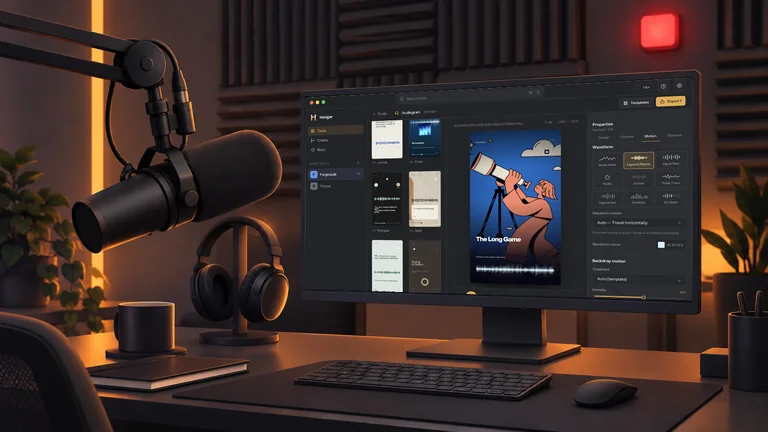 Podcasters
 Video and social creators
 Marketers and content teams