 Agencies and studios
 Photographers
 Podcasters
 Video and social creators
 Marketers and content teams
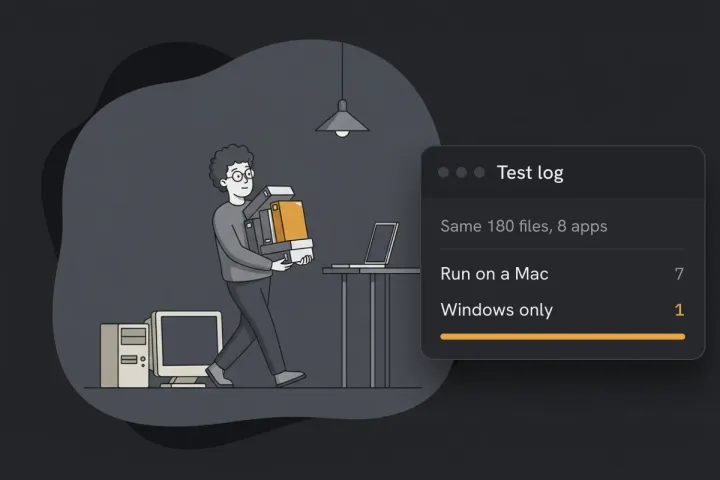
Bulk Rename Utility only runs on Windows, so there’s no Mac version to download. Our pick for the Mac is Batch rename in Hangar: it does the same everyday jobs in one pass and shows every new name before anything changes. We make Hangar, so we ran it against Bulk Rename Utility and Finder on the same three jobs.
| Job | Hangar (Mac) | Bulk Rename Utility (Windows) | Finder (Mac) |
|---|---|---|---|
| Swap a prefix and number 180 photos | One pass | One pass | Two tries, and it can’t pad to 001 |
| Name 180 photos by date taken, plus a counter | One pass, all 180 correct | One pass | Can’t: it stamps today’s date |
| Clean up 40 messy office names | One pass | Two passes on the free version | Can’t trim or collapse spaces |
Hangar also caught 2 name clashes that Finder resolved by quietly adding “ 2“ to a name.
How the three jobs work in Hangar
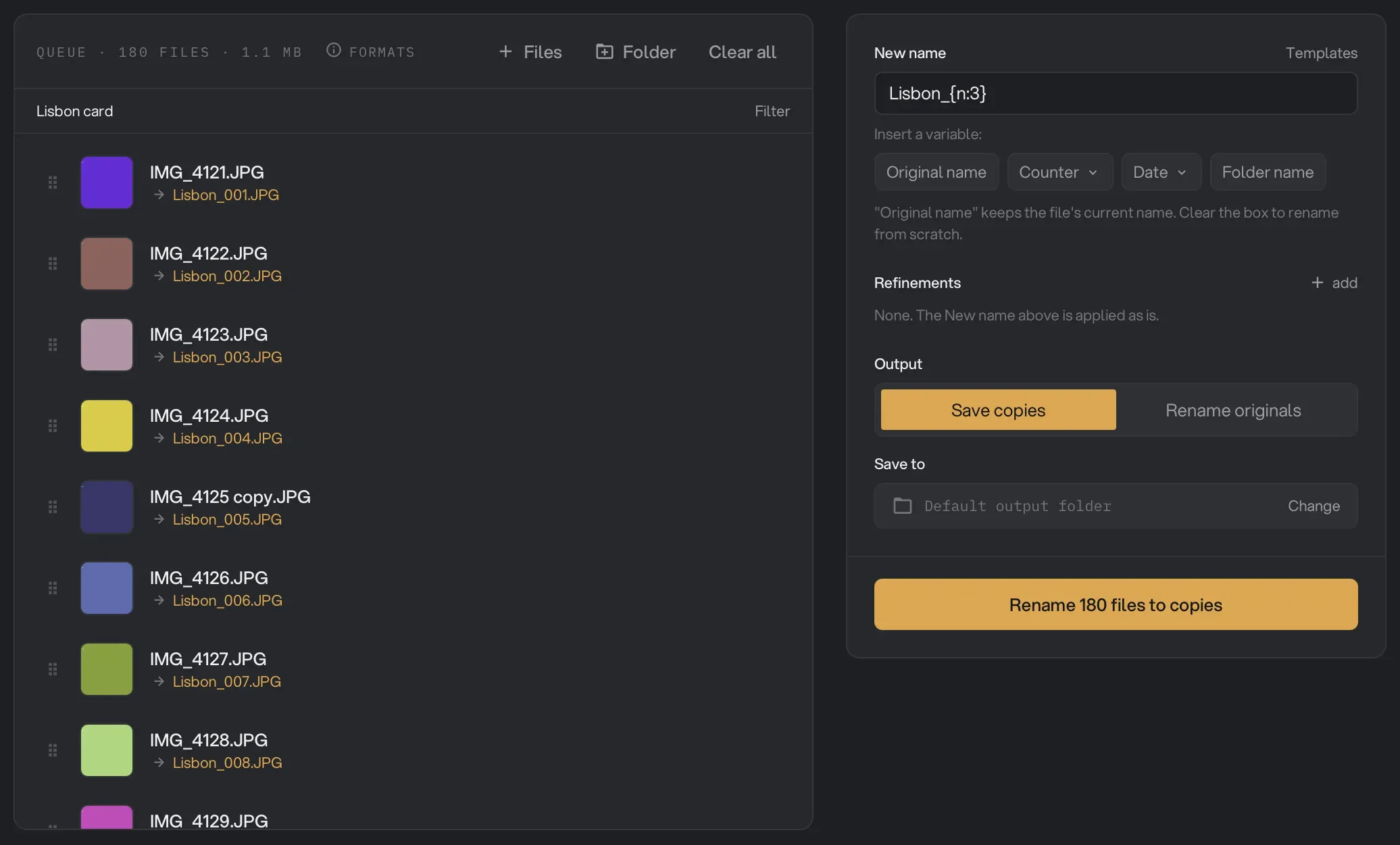
- Number a set. In New name, type
Lisbon_, click Counter and pick 001, 002, 003. That gave Lisbon_001.JPG to Lisbon_180.JPG, strays included. - Name photos by the date they were taken.
{taken:%Y-%m-%d}_{n:3}gave 2026-05-01_001.JPG to 2026-09-12_180.JPG. We set every file’s modified date to the same day first, and all 180 names still matched the date inside each photo. - Clean up messy names. Clean up (trim, collapse spaces, Spaces → dashes, Accents to plain letters) plus Change case turned “Q3 Budget (final) .xlsx” into q3-budget-(final).xlsx, and “Résumé_v2 .docx” into resume_v2.docx.
Nothing changes until you’ve seen it. Every file shows its new name under the old one, and a name clash blocks the run until you fix it. Save copies is the default, so your originals stay as they are. Rename originals renames in place, with Undo last rename for the latest run.
Renaming is often only the first step, so Hangar can also sort the files into folders and zip them for delivery, then replay all three as a chain. It runs on Mac and Windows.
Where Bulk Rename Utility’s panels live in Hangar
| Bulk Rename Utility panel | Hangar |
|---|---|
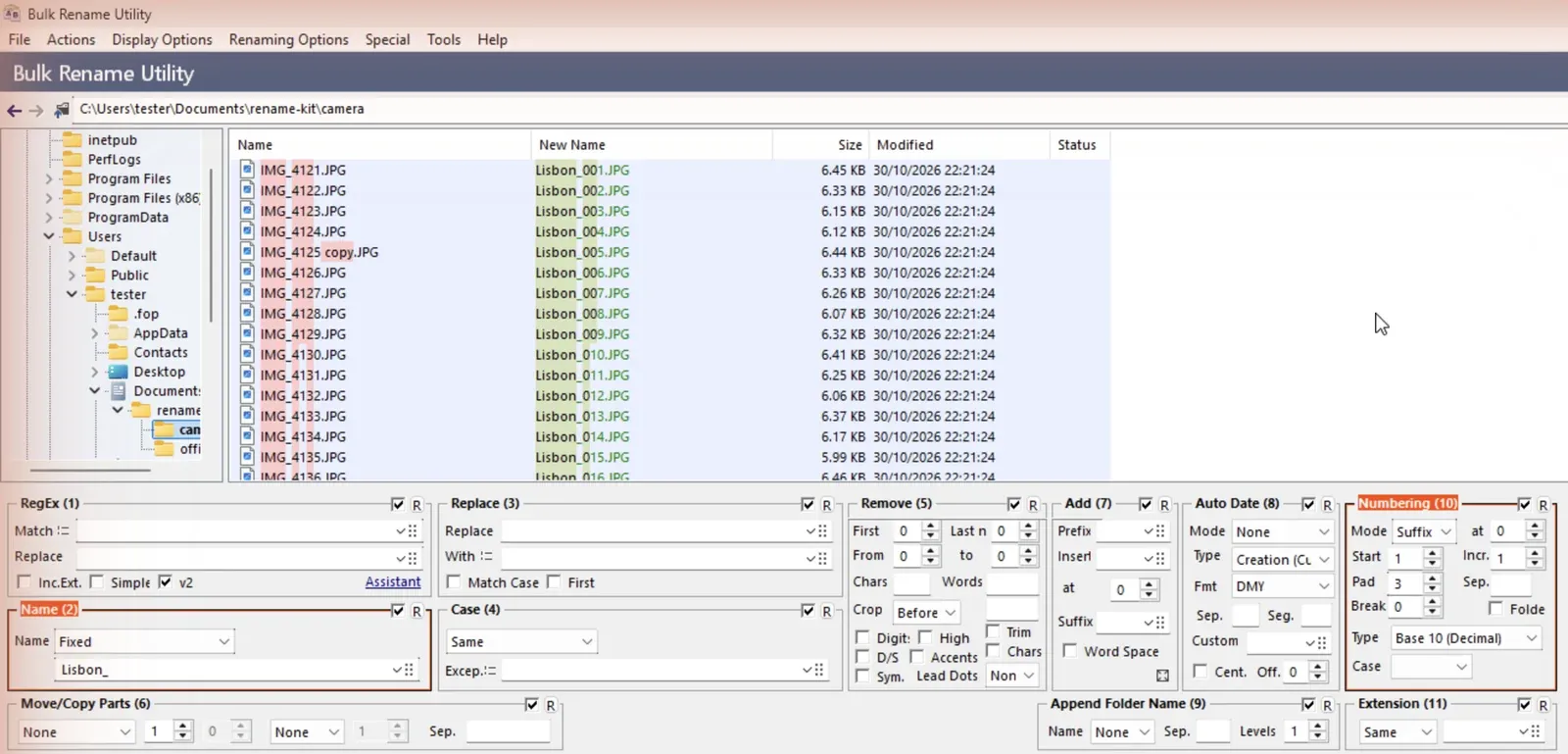
| RegEx (1) | Find and replace, regex on |
| Name (2) | New name box |
| Replace (3) | Find and replace |
| Case (4) | Change case |
| Remove (5) | Remove part, Clean up |
| Move/Copy (6) | Rearrange parts |
| Add (7) | Prefix / Suffix |
| Auto Date (8) | Date, including Date taken |
| Append Folder Name (9) | {folder} in New name |
| Numbering (10) | Counter, or Number |
| Extension (11) | Change extension |
| Selections (12) | Filter, Subfolders |
Can you run Bulk Rename Utility on a Mac?
Only through Windows. The developer calls it the free file renaming utility for Windows, and there’s no Mac build. You’d need Windows in a virtual machine, which is how we tested it, or a compatibility layer such as CrossOver or Wine, which we didn’t try.
How Hangar compares with other Mac renamers
“Not stated” means the maker’s page doesn’t say, not that the app can’t.
| App | Price | Preview | Undo | Regex | Photo date (EXIF) | We ran it |
|---|---|---|---|---|---|---|
| Hangar Batch rename | One-time, see pricing | Every name, with clash count | Last run | Yes | Yes | Yes |
| Finder Rename | Free, built in | One example | Cmd+Z | No | No | Yes |
| NameChanger | Free | Yes | Not stated | Yes | Not stated | No |
| Transnomino | Free | Yes | Not stated | Yes | Yes | No |
| A Better Finder Rename | $29.95 | Yes | No | Yes | Yes | No |
| Name Mangler | $19 | Yes | Last run | Not stated | Not stated | No |
| Advanced Renamer | Free for occasional personal use | Yes | Yes | Yes | Yes | No |
For one quick change to a few files, Finder’s Rename is already on your Mac.
What Hangar doesn’t do yet
- Take new names from a list or spreadsheet.
- Save a setup on the Batch rename screen. A chain can replay it instead.
- Read the date taken from Camera RAW files, or from a photo with no date inside. Both fall back to the file date.
- Undo anything older than the latest Rename originals run.
How we tested
We used two folders made for the test: 180 camera files with strays like “IMG_4125 copy.JPG” mixed in, and 40 office files with double spaces, brackets, accents and trailing spaces. On the Mac we added six harder names for Finder’s run, and its numbering ran on a 24-file folder.
We ran Bulk Rename Utility 4.1.0.1 on Windows 11 in a virtual machine. On job 3, Replace (3) runs before Remove (5), and re-ordering them needs a licence, so the free route takes two passes. The app’s footer says it’s free for personal, non-commercial home use and that a commercial environment needs a licence.
The Mac tests were on a MacBook Pro with macOS 27.0.1, in Hangar 0.12.3. Prices and features for the other apps come from each maker’s page, read between 31 October and 2 November 2026.
For the everyday methods, see our guide to renaming multiple files at once. If a rename goes wrong, undoing a batch rename covers the ways back, and more on dates is in renaming photos by date taken.
To see every new name before anything changes, rename your folder offline with Hangar.